The camera is one of the biggest reasons people choose a Google Pixel smartphone. Pixel devices are well known for their computational photography, image processing and advanced camera features. Whether you use your phone for family photographs, business content, social media, video calls or everyday snapshots, a faulty camera can quickly become a major inconvenience.
Unfortunately, even a high-quality Google Pixel camera can develop problems. A drop can damage the camera glass or internal module, while dust, moisture, software issues or component failure can cause blurry images, focusing problems or a completely black camera preview.
If you’re experiencing any of these issues, a professional Google Pixel Mobile Camera Repair UK service can help identify the problem and determine whether the camera can be repaired or needs replacement.
This guide explains the most common Google Pixel camera problems, potential repair costs, the replacement process, repair times and what to look for when choosing a professional repair service.
What Is Google Pixel Camera Repair?
Google Pixel Camera Repair UK involves diagnosing and resolving problems affecting the front or rear camera system of a Pixel smartphone.
Depending on the fault, a technician may need to:
- Inspect the camera glass
- Test the camera module
- Diagnose autofocus problems
- Check camera stabilisation
- Inspect internal connectors
- Replace damaged camera glass
- Replace a faulty camera module
- Test the front-facing camera
- Test the rear camera
- Check the camera flash
- Test video recording
The correct repair depends on the exact Pixel model and the nature of the damage.
A Google Pixel 6, Pixel 7, Pixel 8, Pixel 9 or newer model can have different camera hardware and repair requirements, so accurate model identification is important before ordering replacement parts.
Common Google Pixel Camera Problems
1. Google Pixel Camera Is Blurry
One of the most common complaints is a camera that suddenly produces blurry photographs.
If the camera was previously working correctly and has recently become blurry, possible causes include:
- Dirty camera lens
- Cracked camera glass
- Autofocus failure
- Camera module damage
- Stabilisation problems
- Internal component damage
- Software-related problems
Start by carefully cleaning the external camera glass with a suitable microfibre cloth.
If the images remain blurry, professional Google Pixel Camera Repair may be required.
2. Google Pixel Camera Won’t Focus
Autofocus allows the camera to adjust the lens so that subjects appear sharp.
A damaged Pixel camera may:
- Continuously hunt for focus
- Refuse to focus on close objects
- Produce permanently blurry photographs
- Focus and then immediately become blurry
- Struggle when recording video
If restarting the phone and cleaning the lens does not help, the camera module may require professional diagnosis.
3. Google Pixel Camera Is Shaking
A camera that physically shakes or produces unusually unstable images can indicate a hardware problem.
This can happen after:
- Dropping the phone
- Physical impact
- Camera module damage
- Stabilisation failure
- Internal component damage
If the camera continues shaking when the phone is completely still, it should be inspected by a technician.
4. Google Pixel Camera Shows a Black Screen
Another common problem occurs when the Camera app opens but the preview remains black.
Possible causes include:
- Camera software problems
- Faulty camera module
- Damaged connector
- Internal impact damage
- Liquid exposure
- Motherboard-related faults
Because a black camera screen can have several causes, replacing the camera immediately is not always the best approach.
A proper diagnostic assessment can determine the underlying problem.
5. Cracked Google Pixel Camera Glass
The camera glass protects the delicate camera components underneath.
A hard drop can crack or break this protective glass even if the camera itself continues working.
You might notice:
- Visible cracks
- Hazy photographs
- Light reflections
- Dust around the lens
- Reduced image clarity
In suitable cases, Google Pixel Camera Glass Replacement may be possible without replacing the entire camera module.
6. Google Pixel Front Camera Not Working
The front-facing camera is used for:
- Selfies
- Video calls
- Social media
- Portrait photographs
- Face-related features
- Online meetings
If the front camera displays a black screen, produces blurry photographs or fails to open, professional Google Pixel Front Camera Repair may be necessary.
7. Google Pixel Rear Camera Not Working
The rear camera system is generally used for standard photographs, videos and advanced photography features.
Problems can include:
- Black preview
- Blurry photographs
- Autofocus failure
- Camera shaking
- Poor image quality
- Flash problems
- Camera app crashes
A professional technician can test the camera module and associated components before recommending replacement.
Signs You Need Google Pixel Camera Repair
You should consider professional repair if:
- The camera is permanently blurry
- Autofocus no longer works
- The camera keeps shaking
- The camera preview is black
- Camera glass is cracked
- The rear camera has stopped working
- The front camera has stopped working
- The flash does not work correctly
- Photographs contain unusual lines or distortions
- Camera problems started after a drop
- Camera problems started after liquid exposure
Google Pixel Camera Repair Cost UK
The Google Pixel Camera Repair Cost UK depends on several factors, including the Pixel generation, camera component, type of damage and availability of replacement parts.
Unlike a simple screen protector or external accessory, camera repairs can involve highly specialised components, so pricing can vary significantly between models.
Indicative Independent Repair Pricing
| Repair Type | Indicative UK Price |
|---|---|
| Camera diagnostics | £0–£40 |
| Camera glass replacement | £40–£100+ |
| Front camera repair | £60–£150+ |
| Rear camera repair | £80–£250+ |
| Camera module replacement | £100–£300+ |
| Liquid-damaged camera | Inspection required |
These figures are indicative rather than fixed prices. The exact cost should be confirmed after identifying the Pixel model and diagnosing the fault.
For a newer flagship Pixel, the cost may be higher because of the complexity and price of the camera assembly.
What Affects Google Pixel Camera Repair Cost?
1. Pixel Model
Different generations use different camera systems.
A camera repair for an older Pixel may therefore have a different price from a newer Pixel Pro model.
2. Front vs Rear Camera
The front and rear cameras use different components and may have different replacement costs.
3. Camera Glass vs Camera Module
Replacing cracked external glass is generally a different repair from replacing the complete camera module.
4. Type of Replacement Part
The quality and source of the replacement component can affect the final price.
5. Additional Damage
A phone that has suffered a serious fall may have damage to the frame, motherboard, display or connectors as well as the camera.
Liquid damage can also complicate the repair.
Camera Glass Replacement vs Camera Module Replacement
One of the most important questions is whether you actually need a complete camera replacement.
| Problem | Possible Repair |
|---|---|
| Cracked external camera glass | Camera glass replacement |
| Dirty lens | Cleaning |
| Blurry camera | Diagnostics |
| Autofocus failure | Camera module inspection |
| Camera shaking | Camera module/stabilisation diagnosis |
| Black camera preview | Hardware/software diagnostics |
| Damaged camera module | Camera replacement |
| Liquid damage | Full diagnostic inspection |
This is why professional diagnosis should come before ordering an expensive replacement component.
Google Pixel Camera Repair Process
A professional Google Pixel Camera Repair UK service should follow a structured process.
Step 1: Device Inspection
The technician examines the Pixel for:
- Camera glass damage
- Physical impact
- Frame damage
- Liquid exposure
- Previous repair work
Step 2: Camera Diagnostics
The technician tests:
- Front camera
- Rear camera
- Autofocus
- Video recording
- Flash
- Image quality
- Camera stabilisation
- Camera application behaviour
Step 3: Identify the Fault
The technician determines whether the problem is caused by:
- Software
- Camera glass
- Camera connector
- Camera module
- Internal damage
Step 4: Repair or Replace
Depending on the diagnosis, the damaged component is repaired or replaced.
A camera glass replacement can be appropriate when only the protective lens is damaged.
If the actual camera sensor or module has failed, a complete Google Pixel Camera Replacement may be necessary.
Step 5: Post-Repair Testing
After the repair, the technician should test:
- Photo quality
- Video recording
- Autofocus
- Flash
- Front camera
- Rear camera
- Stabilisation
Step 6: Final Quality Check
The phone is reassembled and inspected before being returned to the customer.
How Long Does Google Pixel Camera Repair Take?
Repair times depend on the Pixel model, damage and availability of the required component.
Typical independent repair times can be:
Camera glass repair: 30–90 minutes
Camera module replacement: 1–2 hours
Front camera replacement: Around 1–2 hours
Complex internal damage: Same day to several days
A repair provider should confirm the estimated time after diagnosing the device and checking parts availability.
Is Google Pixel Camera Repair Worth It?
In many cases, yes.
Repair can be worthwhile if:
- The phone works well apart from the camera
- The display is in good condition
- Battery performance is acceptable
- The Pixel is relatively recent
- The repair cost is reasonable
You may want to consider replacing the phone when:
- Multiple major components are damaged
- The motherboard has severe damage
- Repair costs are close to the phone’s current value
- The device is significantly outdated
A professional assessment can help you compare the repair cost with the cost of replacement.
How to Protect Your Google Pixel Camera
Camera repairs can be avoided or reduced with a few simple precautions.
Use a Protective Case
Choose a case with raised edges around the camera bar or camera module.
This can provide additional protection during accidental drops.
Keep the Camera Glass Clean
Fingerprints and dust can reduce image quality.
Use a clean microfibre cloth rather than abrasive materials.
Protect the Camera Area
Avoid placing your Pixel camera-down on rough surfaces.
Avoid Liquid Exposure
Even when a phone has some level of water resistance, unnecessary exposure to liquids can cause damage.
Don’t Ignore Cracked Camera Glass
A cracked camera lens should be addressed promptly.
A damaged lens can affect image quality and may leave the underlying camera assembly more exposed.
What to Do If Your Google Pixel Camera Stops Working
Before booking a repair, try a few basic troubleshooting steps.
Step 1: Clean the Camera Lens
Remove fingerprints and dust using a clean microfibre cloth.
Step 2: Restart the Phone
A temporary software problem can sometimes affect camera functionality.
Step 3: Test Different Camera Modes
Check both front and rear cameras.
Step 4: Test Video
Record a short video to determine whether the issue affects photography, video or both.
Step 5: Check for Physical Damage
Look closely at the camera glass and surrounding area.
Step 6: Arrange Professional Diagnostics
If the problem continues, a technician can determine whether hardware replacement is required.
Common Google Pixel Camera Repair Mistakes
Choosing the Cheapest Repair
A low price does not always mean good value.
Camera components can vary significantly in quality, so ask what replacement part will be installed.
Replacing the Camera Without Diagnosis
A black camera preview does not automatically mean that the camera module has failed.
The problem could be software, a connector or another internal component.
Ignoring Camera Glass Damage
A cracked camera lens can affect photographs and potentially expose the camera assembly to dust or moisture.
Attempting DIY Repair
Google Pixel phones contain delicate internal components.
Opening the device without appropriate tools and experience can result in additional damage.
Not Asking About Warranty
Before paying for a repair, ask whether the repair and replacement part are covered by a warranty and understand what the warranty excludes.
Google Pixel Camera Repair for Different Models
Professional repair services may cover a range of Google Pixel devices, including:
- Google Pixel 6
- Google Pixel 6 Pro
- Google Pixel 7
- Google Pixel 7 Pro
- Google Pixel 8
- Google Pixel 8 Pro
- Google Pixel 9
- Google Pixel 9 Pro
- Google Pixel 9 Pro XL
- Newer Google Pixel models
The exact repair method and parts availability vary by model.
Always provide the exact model before requesting a quotation.
Why Choose a Professional Google Pixel Camera Repair Service?
A reputable repair provider should offer:
- Experienced technicians
- Proper diagnostic equipment
- Quality replacement components
- Transparent pricing
- Repair warranty
- Post-repair testing
- Clear communication
- Appropriate repair tools
The cheapest repair isn’t necessarily the best repair.
A properly diagnosed and professionally completed repair can provide better long-term value.
Frequently Asked Questions
1. How much does Google Pixel camera repair cost in the UK?
The cost depends on the Pixel model and type of fault. Camera glass replacement is generally less expensive than complete camera-module replacement. An inspection is the best way to receive an accurate quotation.
2. Can a Google Pixel camera be repaired?
Yes. Depending on the fault, technicians may repair the camera glass, address a connection issue or replace the camera module.
3. Why is my Google Pixel camera blurry?
A dirty or damaged lens, cracked camera glass, autofocus failure, stabilisation problems or camera-module damage can cause blurry images.
4. Why won’t my Google Pixel camera focus?
Autofocus problems can result from physical impact, camera-module damage, software issues or internal component failure.
5. Can Google Pixel camera glass be replaced?
In suitable cases, the external camera glass can be replaced without replacing the entire camera module.
6. Why is my Google Pixel camera showing a black screen?
A black camera preview can be caused by software problems, a faulty camera module, connector damage or other internal faults. Professional diagnostics can identify the cause.
7. How long does Google Pixel camera repair take?
Simple camera-glass repairs can sometimes be completed within an hour, while camera-module replacement may take one to two hours. Complex internal damage can take longer.
8. Will I lose my data during camera repair?
A standard camera repair should not normally require deletion of your personal data. However, backing up your important information before any repair is recommended.
9. Is it worth repairing a Google Pixel camera?
If the rest of the phone is in good condition, repairing the camera can be more economical than replacing the entire smartphone.
10. Where can I get Google Pixel camera repair in the UK?
You can use an official repair route or a reputable independent repair provider. Before booking, check technician experience, parts quality, warranty, reviews and the final quoted price.
Final Conclusion
A faulty camera can make an otherwise excellent Google Pixel difficult to use. Whether you’re experiencing blurry photographs, autofocus failure, camera shaking, cracked camera glass or a completely black camera preview, professional diagnosis is the best place to start.
A Google Pixel Mobile Camera Repair UK service can determine whether you need a simple camera glass replacement, a component repair or a complete camera module replacement.
Don’t automatically replace your entire phone because the camera has stopped working. If the rest of your Pixel is in good condition, repairing the camera may be a much more practical and cost-effective solution.
When choosing a repair provider, look beyond price. Consider technician experience, replacement-part quality, warranty, diagnostic procedures and post-repair testing.
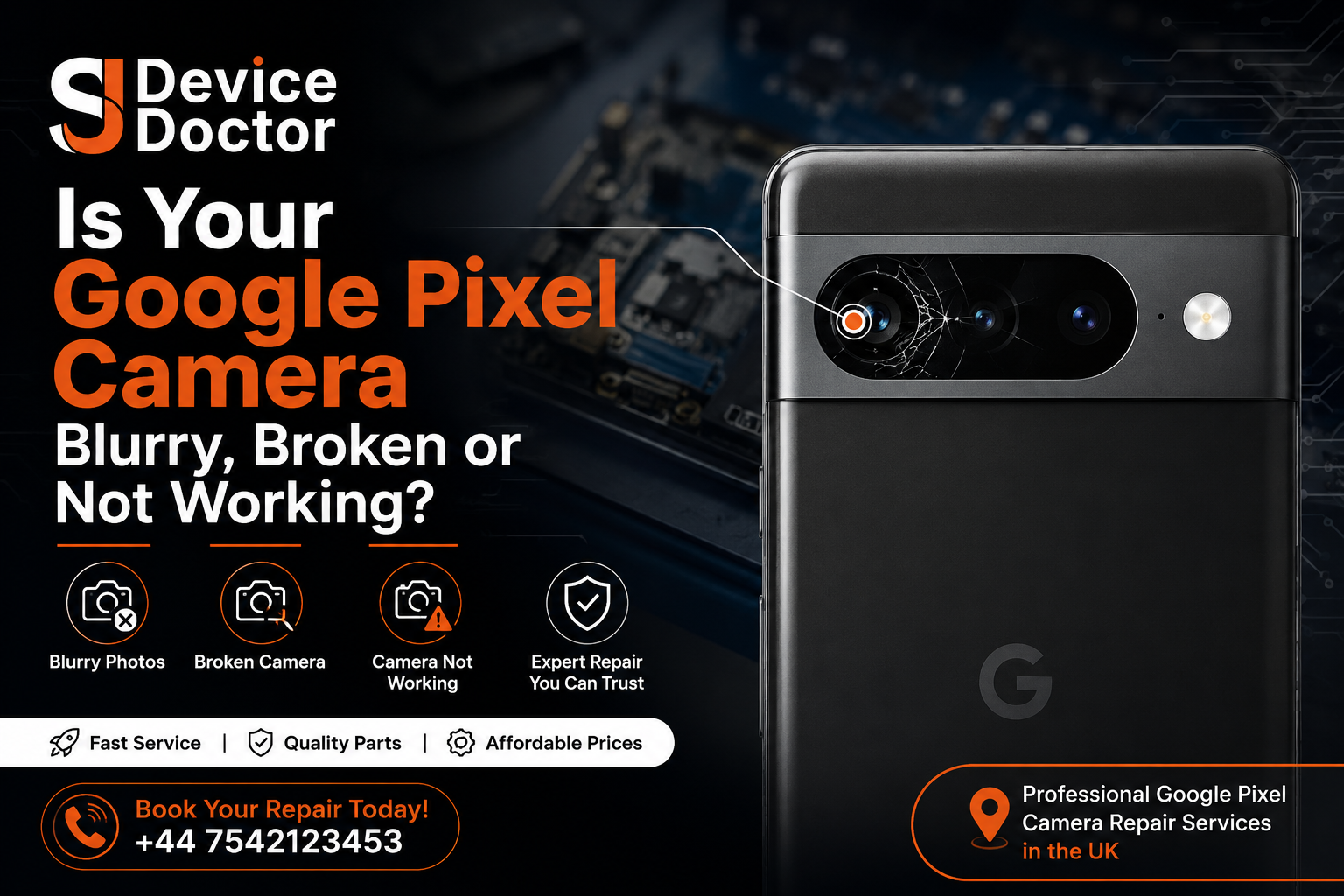
Is Your Google Pixel Camera Blurry, Broken or Not Working?
Don’t let a faulty camera stop you from using your Pixel.
SJ Device Doctor provides professional mobile phone repair services, including Google Pixel camera diagnostics, camera glass repair, camera replacement and other smartphone repairs.
Fast Service | Professional Repairs | Quality Parts
Call SJ Device Doctor: +44 7542 123453