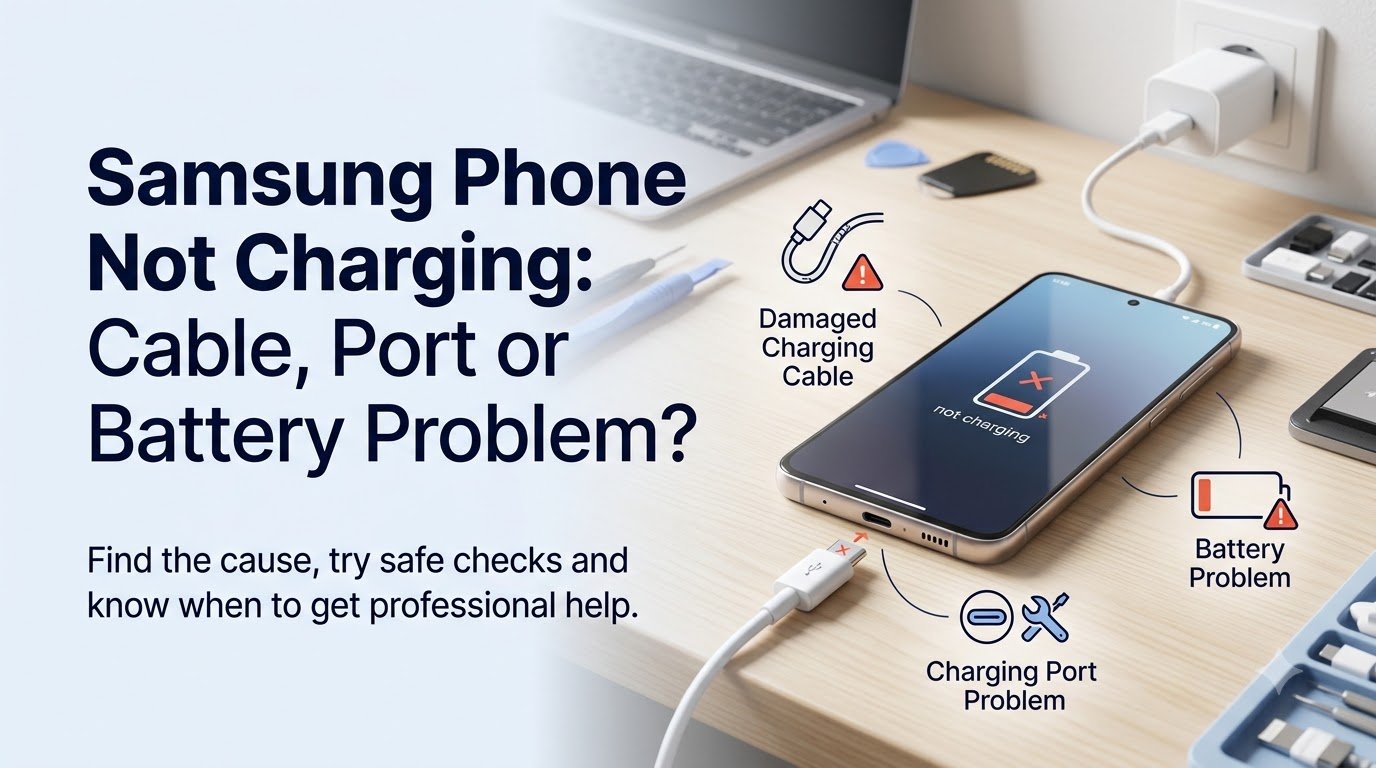
If your Samsung phone is not charging, the cause may be something as simple as a faulty cable or charger. However, charging problems can also be linked to a dirty or damaged USB-C port, battery issues, software problems, moisture detection or an internal hardware fault.
You may find that your Samsung Galaxy does not recognise the charger, charges very slowly, repeatedly connects and disconnects, or only charges when the cable is held at a particular angle.
So, how can you tell whether you have a Samsung charging cable problem, charging-port fault or battery issue?
The good news is that several safe checks can help you narrow down the cause before considering professional repair. This guide explains what to check and when a Samsung charging problem needs attention from a technician.
Samsung Phone Not Charging: What Could Be Wrong?
There are several possible reasons why a Samsung phone won’t charge. The problem does not necessarily mean the battery has failed.
Common causes include:
- Faulty or damaged charging cable
- Damaged power adapter
- Faulty wall socket
- Dust, lint or debris inside the charging port
- Loose or damaged Samsung USB-C port
- Battery deterioration or failure
- Temporary software problems
- Moisture detected around the charging port
- Excessive device temperature
- Charging circuit or motherboard fault
- Previous physical or liquid damage
The exact cause can vary depending on the Samsung Galaxy model and the condition of the device.
The best approach is to start with the simplest checks before assuming that a major component needs replacing.
Step 1: Check the Samsung Charging Cable
A damaged charging cable is one of the easiest things to overlook when a Samsung phone is not charging.
Over time, cables can become worn, particularly around the connector ends. Internal damage may also occur even when the outside of the cable appears normal.
Look for signs such as:
- Fraying or exposed wires
- A bent USB-C connector
- A loose connection
- Visible damage
- Charging that starts and stops
- A cable that only works at certain angles
Try another compatible, good-quality charging cable that you know works correctly.
If your Samsung phone starts charging normally with the replacement cable, the original cable may be the problem.
Using a known-working cable is one of the simplest ways to determine whether you are dealing with a Samsung charging cable problem rather than a phone fault.
Step 2: Check the Charger and Power Socket
The charging adapter or wall socket can also cause a Samsung phone charging problem.
Before assuming that your phone needs repair, try:
- A different compatible charging adapter
- A different wall socket
- The charger with another compatible device
- A known-working charger and cable combination
Also pay attention to the adapter’s temperature. If a charger becomes unusually hot, is visibly damaged or behaves inconsistently, stop using it.
Always use a suitable, good-quality charger rather than continuing to use damaged charging equipment.
If another charger works normally with your Samsung phone, the original adapter may be responsible for the problem.
Step 3: Inspect the Samsung Charging Port
The Samsung phone charging port is another common area to check.
Dust, pocket lint and other debris can accumulate inside a USB-C port over time. This can prevent the connector from making proper contact with the charging contacts.
Possible signs of a charging-port problem include:
- The cable feels loose
- Charging starts and stops
- The phone only charges at a particular angle
- The connector does not sit properly
- The phone does not recognise the charger
Inspect the port carefully in good lighting.
Do not insert metal objects, pins or other sharp items into the USB-C port. Do not force the charging connector into the phone.
If the port appears physically damaged or the connector repeatedly feels loose, professional inspection may be necessary. A damaged port may require cleaning, repair or replacement depending on the underlying fault.
Step 4: Check for Moisture or Water Damage
Samsung phones can prevent charging when moisture is detected around the charging port.
If the phone has recently been exposed to rain, water, condensation or another liquid, disconnect the charger and allow the device and port to dry naturally.
You should:
- Disconnect the charging cable
- Allow the phone and port to dry naturally
- Keep the device away from direct heat
- Avoid using a hairdryer
- Do not repeatedly connect the charger while moisture may still be present
Do not try to speed up the drying process with direct heat.
If a moisture warning continues or the phone has suffered liquid exposure, professional inspection is recommended. Liquid damage can affect charging components even when the phone initially appears to work normally.
Step 5: Restart Your Samsung Phone
A temporary software or system problem can sometimes interfere with normal charging behaviour.
Restarting the phone is a simple troubleshooting step and does not involve opening or modifying the device.
The exact button combination used to restart a Samsung phone can vary between models, so use the normal restart option available on your particular device where possible.
After restarting, connect the phone to a known-working charger and cable and check whether charging resumes.
If the charging problem continues, further investigation may be required.
Step 6: Check the Battery Level and Charging Behaviour
Pay attention to exactly what happens when your Samsung phone is connected to power.
Different symptoms can provide useful clues, although no single symptom proves that a particular component has failed.
| Symptom | Possible Cause |
|---|---|
| No charging symbol | Cable, adapter, port or hardware |
| Charging very slowly | Cable, adapter, battery or settings |
| Charging stops randomly | Port, cable, overheating or battery |
| Only charges at an angle | Damaged or loose port |
| Phone gets very hot while charging | Battery, charger or internal fault |
| Battery drains quickly after charging | Battery ageing or software issue |
| Phone shuts down while charging | Battery or power-management problem |
Use these signs as indicators rather than a definite diagnosis.
Is the Samsung Charging Port or Battery the Problem?
It can be difficult to tell whether the issue is the charging port or the battery because both can produce similar symptoms.
Signs of a Charging Port Problem
A charging-port issue may be more likely when:
- The USB-C connection feels loose
- The cable disconnects easily
- Charging only works at certain angles
- There is visible damage around the port
- A compatible phone charges wirelessly but does not charge through USB-C, where wireless charging is supported
However, these symptoms can also have other causes. A proper diagnosis may require inspection and testing.
Signs of a Battery Problem
A battery-related issue may be worth investigating when you notice:
- Very rapid battery drain
- Unexpected shutdowns
- Unusual battery percentage behaviour
- The phone becoming unusually hot
- The battery appearing swollen
- The device struggling to remain powered on
- The phone failing to hold a charge
If the battery appears swollen, damaged or physically deformed, stop using the phone and do not continue charging it.
Battery problems can present differently depending on the Samsung model and the condition of the device.
Can a Samsung Phone Charge Wirelessly?
Some Samsung Galaxy models support wireless charging, but wireless charging is not available on every Samsung device.
If your compatible Samsung phone supports wireless charging and charges wirelessly but does not charge through USB-C, this may provide a useful clue that the wired charging path or charging port could be involved.
It does not, however, prove that the USB-C port is defective. Other charging hardware can also be responsible.
Why Is My Samsung Phone Charging Slowly?
A Samsung phone charging slowly can be caused by several different factors.
Possible causes include:
- A damaged or poor-quality cable
- An incompatible charger
- Dirt or debris in the charging port
- High device temperature
- Battery condition
- Heavy phone usage while charging
- Software or charging settings
- A charging hardware fault
Charging speed also depends on the Samsung model, compatible charger and condition of the battery.
If charging has suddenly become much slower than usual, test the phone with a known-working compatible cable and charger before assuming that the battery needs replacing.
Why Does My Samsung Phone Keep Connecting and Disconnecting While Charging?
If your Samsung phone repeatedly connects and disconnects from the charger, there may be an intermittent connection somewhere in the charging system.
Potential causes include:
- A loose charging cable
- A damaged USB-C port
- Debris inside the port
- A faulty cable
- A faulty power adapter
- Moisture detection
- A charging circuit problem
Try a different known-working cable and compatible charger.
If the problem remains, especially if the cable feels loose or the phone has experienced liquid or physical damage, professional inspection may be appropriate.
What If the Samsung Phone Won’t Turn On or Charge?
A Samsung phone that appears completely dead needs slightly different consideration.
There is a difference between:
- A phone showing no signs of life
- A phone displaying a charging icon but not increasing its battery percentage
- A phone repeatedly restarting
- A phone showing a black screen
- A phone becoming unusually hot while connected to power
Start with the basic checks: try a known-working compatible cable, charger and wall socket.
If the device has suffered liquid or physical damage, avoid repeatedly attempting to charge it until it has been professionally assessed.
Unusual heat, a burning smell, swelling or visible physical damage should be treated as warning signs.
When Is Samsung Charging Port Repair Needed?
Professional Samsung charging port repair may be appropriate when:
- The USB-C port is physically damaged
- The cable feels unusually loose
- Charging only works at certain angles
- Multiple known-working cables and chargers have been tested
- The phone has suffered liquid damage
- The phone does not recognise compatible chargers
- The charging problem continues after basic software troubleshooting
A technician can inspect the charging port and determine whether the problem is related to debris, port damage, the charging connection or another internal component.
Depending on the diagnosis, the required solution could involve cleaning, charging-port replacement or deeper hardware repair.
When Does a Samsung Phone Need a Battery Replacement?
A Samsung battery replacement may be worth considering when the battery consistently shows signs of deterioration.
Common warning signs include:
- Battery drains unusually quickly
- Unexpected shutdowns
- Battery percentage changes unpredictably
- The device becomes unusually hot
- The battery is swollen
- The phone struggles to hold a charge
One symptom alone does not necessarily prove that the battery has failed.
A technician can assess the battery alongside the charging system and determine whether replacement is actually appropriate.
How a Professional Samsung Phone Repair Service Can Help
When basic troubleshooting does not resolve the problem, professional diagnosis can help identify the actual cause rather than replacing parts unnecessarily.
A technician can investigate issues involving:
- Charging cables and adapters
- USB-C port faults
- Battery condition
- Charging circuitry
- Liquid damage
- Physical damage
- Software-related charging problems
- Motherboard or power-management faults
For Samsung users experiencing persistent charging problems, SJ Device Doctor can provide professional assistance with Samsung phone repair and charging-related faults.
The appropriate repair depends on the Samsung model and the fault identified during inspection, so it is better to diagnose the problem before deciding which component needs replacing.
What You Should NOT Do If Your Samsung Phone Is Not Charging
When troubleshooting a Samsung charging problem, avoid actions that could make the situation worse.
Do not:
- Use visibly damaged charging cables
- Force a connector into the charging port
- Insert metal objects into the USB-C port
- Use direct heat to dry a wet phone
- Use a hairdryer to dry the charging port
- Continue charging a phone with a swollen battery
- Repeatedly plug in a liquid-damaged phone
- Open the phone without appropriate technical knowledge
- Ignore unusual heat, smell or physical damage
Safe troubleshooting should always come before attempting any repair.
Frequently Asked Questions
Why is my Samsung phone not charging?
A Samsung phone may not charge because of a faulty cable, charger, wall socket, dirty or damaged USB-C port, battery issue, moisture detection, software problem or internal hardware fault. Testing a known-working cable and charger is a useful first step.
How do I know if my Samsung charging cable is faulty?
Look for fraying, bent connectors, visible damage, loose connections or charging that repeatedly starts and stops. Testing another compatible cable can help determine whether the original cable is responsible.
How do I know if my Samsung charging port is damaged?
A loose USB-C connection, charging that only works at certain angles, repeated disconnection or visible port damage may indicate a charging-port problem. These signs are not a definitive diagnosis, however.
Can a dirty charging port stop a Samsung phone from charging?
Yes. Dust, lint and debris can interfere with the connection between the USB-C connector and the phone. Avoid inserting metal or sharp objects into the port, as this can cause additional damage.
Why is my Samsung phone charging very slowly?
Slow charging can be related to the cable, charger, charging port, battery condition, device temperature, usage, settings or internal charging hardware. Testing a known-working compatible charger and cable can help narrow down the cause.
Can a bad battery stop a Samsung phone from charging?
A failing battery can cause charging and power-related symptoms, but a charging failure does not automatically mean the battery is faulty. The cable, charger, charging port and internal charging circuitry should also be considered.
Why does my Samsung phone keep connecting and disconnecting while charging?
This can happen because of a loose or damaged cable, debris in the USB-C port, a damaged charging port, faulty charger, moisture detection or an internal charging fault.
How much does Samsung charging port repair cost?
The cost depends on the Samsung model, the type of fault and the repair required. A charging-port replacement, for example, may have a different cost from cleaning or a deeper charging-circuit repair. A diagnosis is needed before an accurate price can be given.
Conclusion
When your Samsung phone is not charging, do not immediately assume that the battery has failed.
Start by testing the charging cable, adapter and wall socket. Then safely inspect the charging port, consider whether moisture could be involved and restart the phone to rule out a temporary software issue.
The charging behaviour can also provide useful clues. A loose connection or charging that only works at an angle may point towards the port, while rapid battery drain or unexpected shutdowns may indicate battery deterioration. However, these symptoms are not enough to confirm a fault on their own.
If your Samsung phone continues to have charging problems, becomes unusually hot, has suffered physical or liquid damage, or has a swollen battery, professional assessment is the safer option.
A qualified Samsung phone repair technician can identify whether the issue involves the cable, charger, USB-C port, battery, charging circuitry or another internal component and recommend the appropriate repair.