
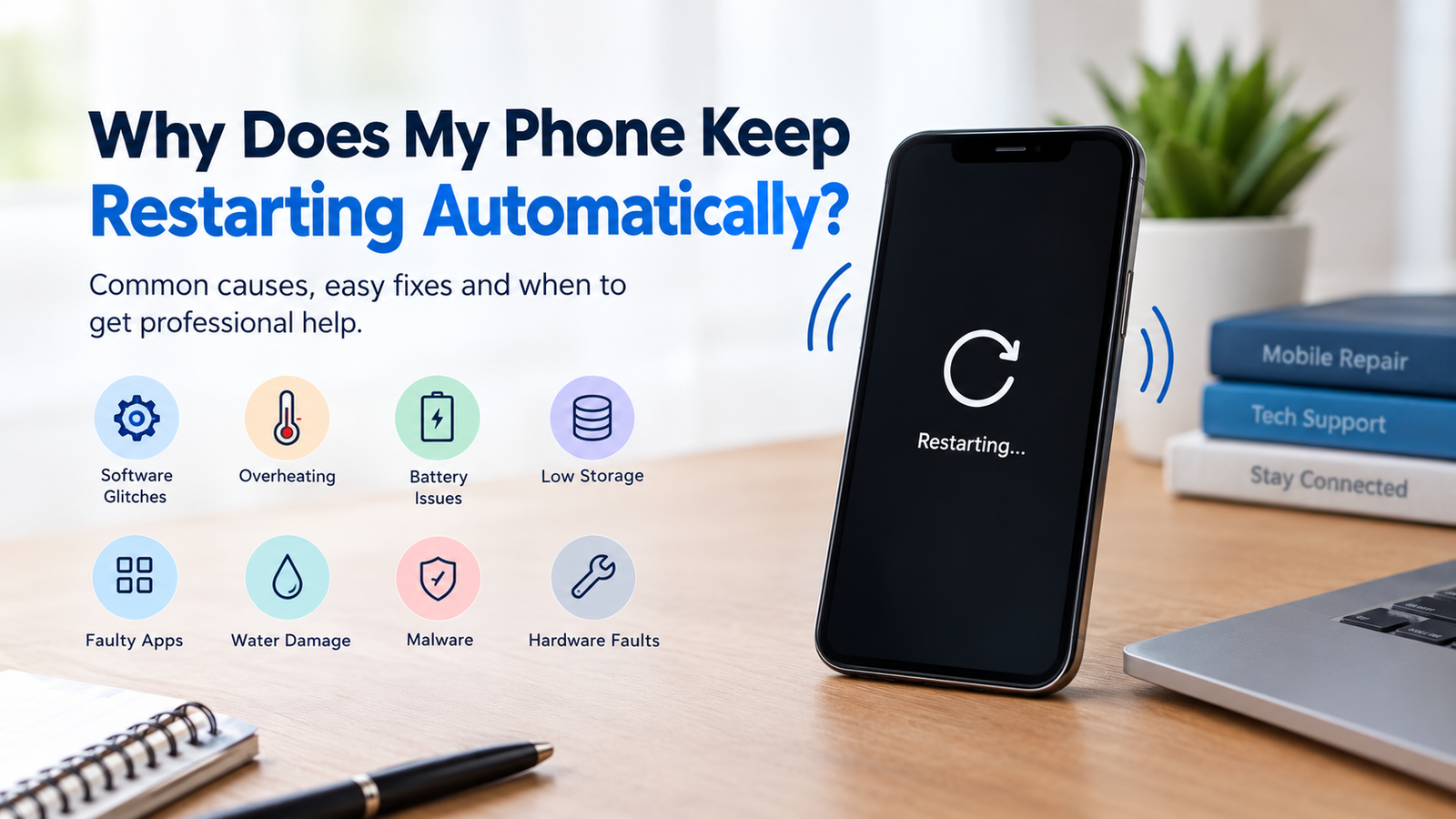
Have you noticed that your phone keeps restarting automatically without warning? A phone that suddenly switches off and comes back on can be frustrating, particularly when it happens during calls, while using an app, or when you need your phone for something important.
Occasional restarts can happen because of a temporary software glitch. However, if your phone keeps restarting repeatedly, the problem may be related to an unstable app, overheating, insufficient storage, a failing battery, a software update, or an internal hardware fault.
The good news is that some causes can be resolved with simple troubleshooting. Others require professional diagnosis, especially if the phone has suffered physical or liquid damage.
Why Does My Phone Keep Restarting Automatically?
There are several reasons why a mobile phone may reboot without you pressing the power button. Identifying what happens immediately before the restart can help narrow down the cause.
1. Software Glitches
Temporary software errors are one of the most common reasons for a phone restarting by itself.
Your phone’s operating system manages everything from apps and notifications to network connections and power management. If a system process crashes or encounters an unexpected error, the phone may restart to recover.
A temporary glitch may happen after:
- Installing or updating an app
- Updating the operating system
- Changing certain system settings
- Running several demanding apps at once
- Experiencing a temporary system crash
If the restarting happens only occasionally and the phone otherwise works normally, a software issue may be responsible.
2. Overheating
Modern smartphones contain temperature sensors designed to help protect internal components. If the device becomes excessively hot, it may shut down or restart.
Overheating can occur when you:
- Use demanding games or applications for long periods
- Record high-resolution video continuously
- Use the phone while charging
- Leave the phone in direct sunlight
- Use a damaged or unsuitable charger
- Have a battery or internal component developing a fault
If your phone becomes unusually hot before it restarts, allow it to cool down naturally. Avoid placing an overheated phone in a refrigerator or freezer, as sudden temperature changes can cause additional problems.
3. Faulty or Incompatible Apps
A recently installed or updated app can sometimes make a phone unstable.
This is particularly worth considering if your phone keeps restarting after installing a particular application. An app that crashes repeatedly or conflicts with the operating system can contribute to unexpected reboots.
Try removing recently installed apps and monitor the phone afterwards. On Android devices, Safe Mode can also help determine whether a third-party application is contributing to the problem.
4. Low Storage Space
Very little free storage can affect the normal operation of a smartphone.
Your phone needs available storage for temporary files, app data, system processes and updates. When internal storage becomes critically full, some functions may become unreliable.
Check your storage and remove unnecessary:
- Photos and videos
- Downloaded files
- Unused applications
- Large media files
- Duplicate files
- Offline content
Before deleting anything important, make sure you have a suitable backup.
5. Battery Problems
An ageing or damaged battery can cause unexpected shutdowns and restarts.
As batteries wear over time, their ability to deliver stable power can decrease. A phone may show a reasonable battery percentage but still struggle to provide enough power during demanding tasks.
Signs that the battery may be involved include:
- Restarts when the battery level is low
- Sudden battery percentage drops
- Unexpected shutdowns during demanding tasks
- Excessive battery drain
- The phone becoming unusually warm
- A battery that appears swollen
Do not continue using a phone with a visibly swollen or damaged battery. A damaged battery should be assessed by a qualified technician.
For battery-related issues, an internal [battery replacement service] can be a relevant internal-link opportunity if available on the website.
6. System Updates or Failed Updates
Operating system updates normally contain bug fixes, security improvements and compatibility changes. However, problems can occur if an update fails, becomes corrupted, or does not complete correctly.
An outdated operating system can also cause compatibility problems with newer applications.
Check whether an official software update is available. If the phone is stuck repeatedly restarting during an update or cannot complete the update process, avoid repeatedly interrupting it and consider professional assistance.
7. Power Button Problems
A damaged, loose or stuck power button can sometimes make the phone behave as though the button is being pressed repeatedly.
This may happen after:
- Dropping the phone
- Physical impact around the side button
- Dirt or debris around the button
- Internal damage
- A worn button mechanism
If the restart problem began after physical damage and the power button feels unusual, hardware inspection may be appropriate.
8. Water or Physical Damage
Liquid and impact damage can affect components responsible for power management and normal system operation.
A phone may begin restarting repeatedly after being:
- Dropped
- Exposed to rain
- Spilled on
- Dropped into water
- Subjected to significant pressure or impact
Liquid damage can sometimes cause symptoms that appear hours or even days after the initial exposure.
If your phone has suffered liquid damage, avoid repeatedly switching it on to check whether it works. Professional inspection is safer because internal corrosion or short circuits may be involved.
9. Malware or Security Issues
Malicious or suspicious software can sometimes interfere with normal phone operation. This is less common than ordinary software or hardware faults, but it should not be ignored.
Only install applications from trusted sources and keep your phone’s operating system and security updates current.
If you suspect a suspicious application, remove it where possible and review your installed apps and device permissions.
How to Fix a Phone That Keeps Restarting
If your phone keeps restarting automatically, work through the following steps in order. Start with the least disruptive options before considering more advanced measures.
1. Restart the Phone Manually
If the phone is currently functioning, perform a normal restart.
A manual restart can clear temporary system processes and minor software glitches. If the phone immediately starts restarting again, continue with the next steps.
2. Check for Software Updates
Open your phone’s system settings and check for an available operating system update.
Before updating:
- Connect to a reliable Wi-Fi network
- Ensure the battery has sufficient charge
- Keep the phone connected to power if recommended
- Make sure there is enough free storage
If the phone cannot complete an update or becomes stuck in a restart loop, professional assistance may be necessary.
3. Remove Recently Installed Apps
Think about when the problem started.
If the phone randomly restarts after installing a particular application, uninstall that application and monitor the device.
Do not download random “phone cleaner”, “battery booster” or security applications simply because the phone is restarting. Some third-party utilities can create additional problems rather than solving them.
4. Free Up Storage Space
Check your internal storage and create some free space if it is nearly full.
Start with large, non-essential files and unused applications. Back up important photos, videos and documents before deleting them.
5. Check Whether the Phone Is Overheating
Notice whether restarting happens during:
- Gaming
- Video recording
- Navigation
- Charging
- Video calls
- Other demanding activities
If the phone becomes unusually hot, stop intensive use and allow it to cool naturally.
Repeated overheating should not simply be ignored, particularly if it occurs during ordinary tasks.
6. Check the Battery and Charging Accessories
Try to identify whether the problem occurs mainly while charging or when the battery level becomes low.
Inspect the charging cable and charger for visible damage. If you suspect a battery fault, avoid opening the phone yourself unless you have the appropriate skills and equipment.
7. Boot the Phone into Safe Mode Where Applicable
Android devices can generally be started in Safe Mode, although the exact process differs between manufacturers.
Safe Mode temporarily disables third-party applications. If the phone works normally in Safe Mode, a recently installed application may be contributing to the problem.
iPhones do not have the same general-purpose Safe Mode process used by Android devices, so iPhone troubleshooting follows different steps.
8. Back Up Important Data
If the phone is still usable, back up important information before carrying out major troubleshooting.
Consider backing up:
- Photos and videos
- Contacts
- Messages
- Documents
- WhatsApp or other important app data
- Authentication or recovery information
This is particularly important if the phone is becoming increasingly unstable.
9. Consider a Factory Reset as a Last Resort
A factory reset removes user data and returns the phone to its initial software state.
It can help identify or resolve certain software-related problems, but it should not be the first troubleshooting step.
Always back up important data before performing a factory reset. If the phone continues restarting after a clean reset, the problem may be hardware-related.
How to Tell If the Problem Is Hardware-Related
Software troubleshooting is reasonable when there are no obvious signs of physical damage. However, certain symptoms suggest that professional diagnosis may be more appropriate.
Watch for:
- The phone restarting even in Safe Mode
- A swollen battery
- Excessive or unusual heating
- Restarting after a drop
- Restarting after liquid exposure
- The phone becoming stuck in a boot loop
- Random shutdowns despite having sufficient battery
- Restarting whenever the charger is connected
- Restarting when the charging cable is moved
- A power button that feels stuck or damaged
A persistent restart problem can involve the battery, charging circuit, power-management components, motherboard or other internal hardware.
Android Phone Keeps Restarting vs iPhone Keeps Restarting
The basic causes can overlap, but Android and iPhone troubleshooting is slightly different.
| Issue | Android | iPhone |
|---|---|---|
| Third-party apps | Can sometimes cause instability | Apps can crash, but system-level causes may differ |
| Safe Mode | Available on many Android devices | No equivalent general Safe Mode |
| Storage problems | Can affect system performance | Very low storage can also cause operational issues |
| Battery problems | Can cause shutdowns and restarts | Battery health and power delivery can affect stability |
| Software updates | Check Android system updates | Check iOS updates |
| Boot loops | Can occur after app, software or hardware problems | Can occur after updates, corruption or hardware faults |
| Hardware damage | Battery, charging and motherboard faults are possible | Battery, charging and logic-board faults are possible |
If an Android phone keeps restarting, checking recently installed applications and using Safe Mode can be particularly useful.
If an iPhone keeps restarting, check iOS updates, available storage, battery health and whether the problem started following an impact, liquid exposure or repair.
When Should You Get Your Phone Repaired?
If your phone rebooting repeatedly continues after basic troubleshooting, it is worth getting the device professionally assessed.
Professional diagnosis is particularly recommended when:
- The phone has been dropped
- The phone has been exposed to liquid
- The battery appears swollen
- The device becomes dangerously hot
- The phone is stuck in a boot loop
- It restarts while charging
- Software troubleshooting has not helped
- The phone cannot stay switched on long enough to complete basic checks
Continuing to use a phone with suspected battery, liquid or internal electrical damage can potentially make the problem worse.
Rather than replacing parts based only on symptoms, a technician should first identify the underlying fault.
How a Professional Phone Repair Service Can Help
A professional repair technician can investigate both software and hardware causes before recommending a repair.
Depending on the symptoms, diagnostic checks may include:
- Assessing battery condition and health
- Inspecting charging components
- Checking the power button
- Looking for signs of liquid or physical damage
- Checking software and operating-system behaviour
- Testing for boot-loop issues
- Assessing internal power-management components
- Identifying whether a specific component is causing instability
This approach helps avoid unnecessary part replacement and gives you a clearer understanding of what is actually causing the problem.
If you are based in the UK and your phone continues restarting despite basic troubleshooting, SJ Device Doctor can be considered for professional mobile phone repair and technical support. The appropriate repair depends on the device, symptoms and results of the diagnosis.
Relevant internal links can also be added naturally throughout this section to services such as [iPhone repair], [Android repair], [battery replacement], [screen repair] and other phone repair services available on the website.
Frequently Asked Questions
Why does my phone keep restarting every few minutes?
Repeated restarts can be caused by software crashes, faulty apps, overheating, low storage, battery problems, failed updates or hardware damage. If the issue continues after basic troubleshooting, professional diagnosis may be needed.
Why is my Android phone restarting by itself?
An Android phone may restart because of a problematic application, software bug, overheating, insufficient storage, battery problems or hardware damage. Safe Mode can help determine whether a third-party app is involved.
Why does my iPhone keep restarting?
An iPhone can restart because of software problems, insufficient available storage, battery or power issues, failed updates, physical damage or other hardware faults. Checking iOS updates and battery condition is a useful starting point.
Can a bad battery cause a phone to restart?
Yes. A worn or damaged battery may struggle to provide stable power, particularly during demanding tasks. Unexpected shutdowns, rapid battery drain, overheating or restarting at certain battery percentages can indicate a battery-related problem.
Can low storage make a phone restart?
Very low storage can interfere with normal system operation and may contribute to instability. Freeing up unnecessary files and applications is a sensible troubleshooting step, particularly when storage is nearly full.
How do I stop my phone from restarting automatically?
Start by checking for software updates, removing recently installed apps, freeing storage, checking for overheating and examining charging behaviour. If the phone continues restarting, back up your data and consider professional diagnosis.
Should I factory reset a phone that keeps restarting?
A factory reset should generally be considered a last software troubleshooting step rather than the first solution. It removes personal data, so make a complete backup before performing one. If the problem continues afterwards, the cause may be hardware-related.
When does a restarting phone need professional repair?
Professional repair is recommended when the phone repeatedly restarts despite software troubleshooting, or when there are signs of battery damage, overheating, liquid exposure, physical damage, charging problems or a persistent boot loop.
Conclusion
If your phone keeps restarting automatically, the cause could be something relatively simple, such as a temporary software glitch, problematic app or lack of storage. However, repeated restarting can also indicate a worn battery, charging problem, overheating, liquid damage or another internal hardware fault.
Start with safe troubleshooting such as checking updates, removing recently installed apps, freeing storage and monitoring temperature. Back up your important information before attempting major changes such as a factory reset.
If the phone continues restarting, particularly after a drop, liquid exposure or charging issue, it is better to stop repeatedly experimenting with software fixes and have the device professionally diagnosed.
A proper diagnosis can determine whether the problem is software-related or requires repair, helping you choose the appropriate solution rather than replacing components unnecessarily.